01 · When the tab appears
Only with WooCommerce Subscriptions
The Subscriptions entry in the top bar appears when the WooCommerce Subscriptions extension is installed and active. Stores without it simply do not see it. Subscriptions become searchable as soon as the first sync has finished.
02 · The subscription list
Status, next payment and total
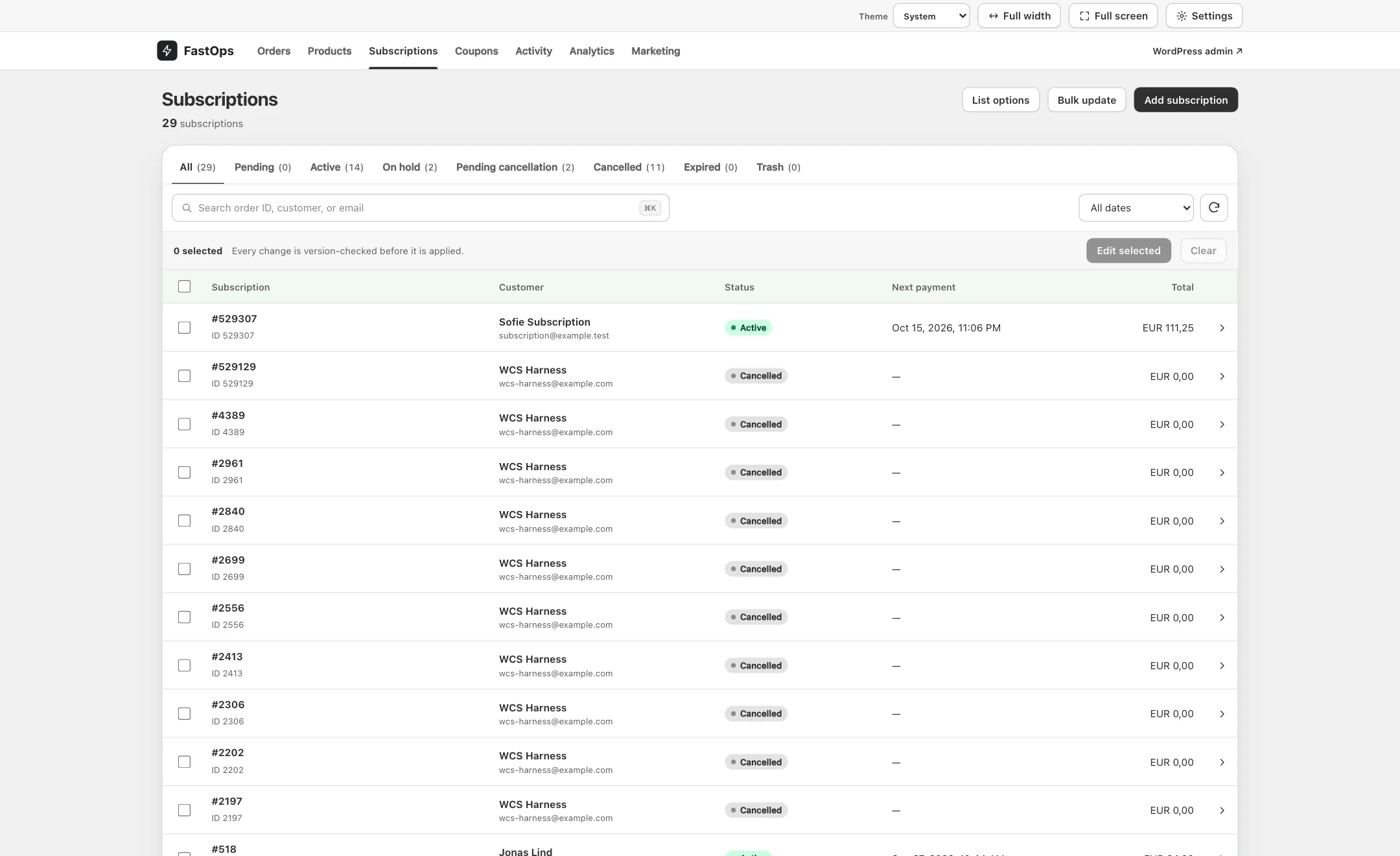
- Status tabs: All, Pending, Active, On hold, Pending cancellation, Cancelled, Expired and Trash.
- Search by subscription number, customer or email.
- Date filter.
- Subscription number and ID.
- Customer name and email.
- Status pill.
- Next payment date. Cancelled subscriptions show a dash.
- Recurring total.
- Create a subscription by hand.
03 · The subscription editor
Summary first, then the details
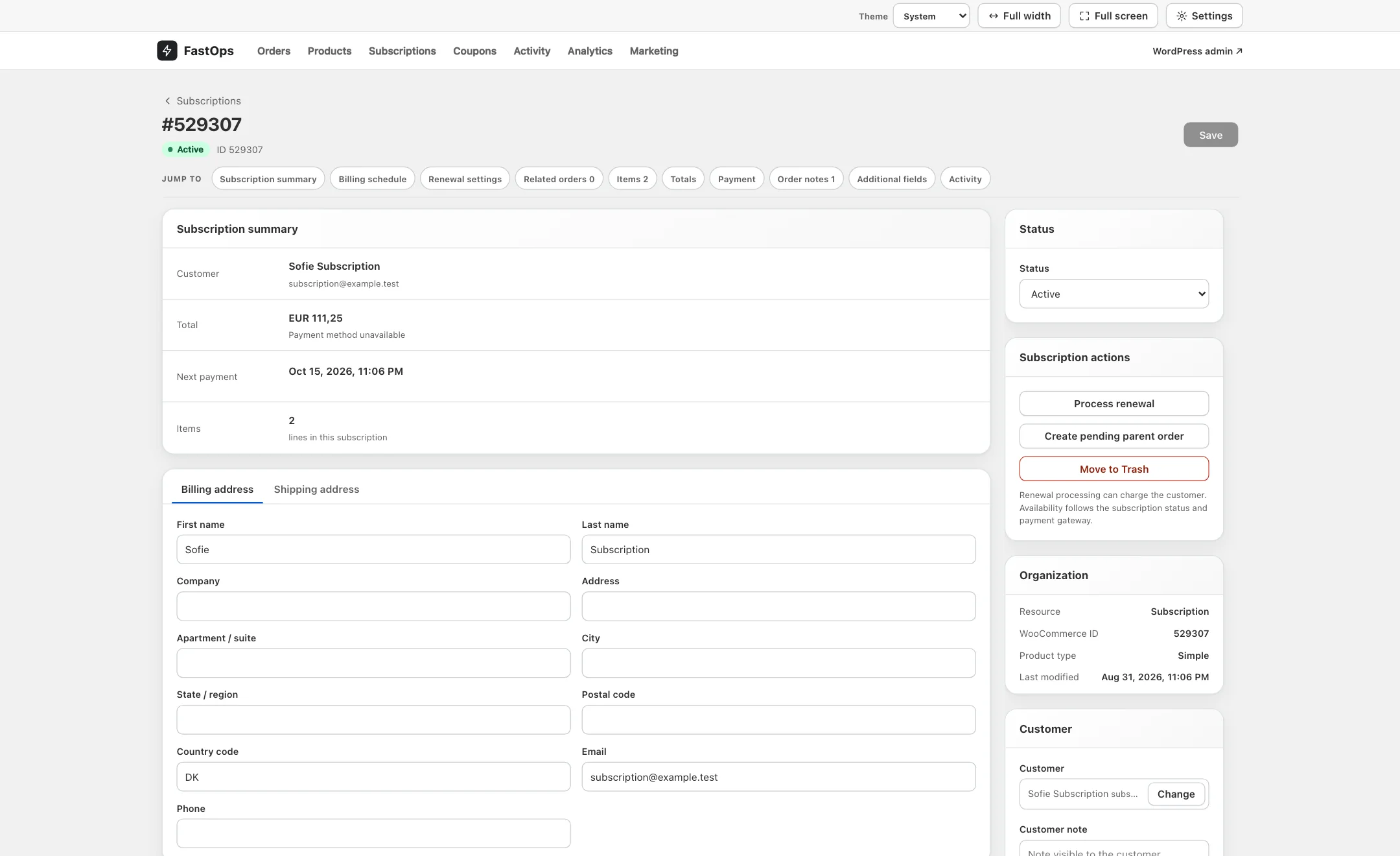
- Jump to: Subscription summary, Billing schedule, Renewal settings, Related orders, Items, Totals, Payment, Order notes, Additional fields and Activity.
- Customer.
- Recurring total and the payment method on file.
- Next payment date, from the billing schedule.
- Status, changed here and saved.
- Process renewal: creates and charges the next renewal now.
- Create pending parent order for a subscription that has none.
- Move to Trash (recoverable).
- Billing and shipping address tabs.
- Save (⌘S).
Items, totals and payment work as on an order: lines can be added and removed and totals recalculated.
04 · Billing schedule
Interval, trial, next payment and end date
The Billing schedule card holds the billing interval and period, the start date, the trial end, the next payment date and the end date. Dates are validated against WooCommerce Subscriptions' rules before saving; if a combination is not allowed, FastOps says the schedule conflicts with those rules and nothing is saved.
05 · Renewal settings and actions
Automatic or manual renewal
Renewal settings holds the renewal mode: automatic renewals charge the saved payment method; manual renewals send the customer an order to pay.
06 · Statuses
Change the status from the editor
Change Status in the card on the right and Save. WooCommerce Subscriptions applies its own transitions, so moving to On hold or Cancelled behaves exactly as it does in wp-admin, including the emails it sends. Status changes for many subscriptions at once use Bulk update.
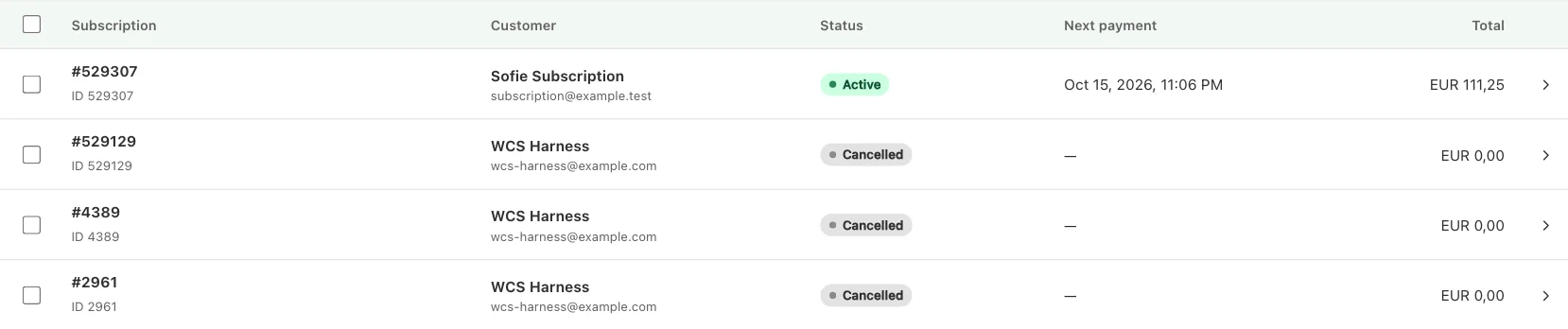
- Active: renewals will run on the next payment date.
- Next payment for the active subscription.
- Cancelled: no further renewals.
- No next payment.